
Screenshots
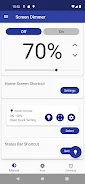
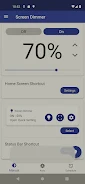
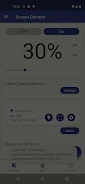
About this app
Auto Screen Dimmer adjusts phone screen brightness in response to ambient light and lets users set dimming times. These controls are intended to help manage brightness across changing surroundings or at different times of day.
Ambient brightness and scheduled dimming
In Auto Mode, brightness adjusts based on the ambient light in the user’s surroundings. Schedule Mode provides control over when brightness levels change: users can set custom times and levels, such as brighter settings during the day and dimmer ones at night. The source describes the schedule as a way to help conserve battery, but does not specify how schedules are configured or how often ambient conditions are assessed.
Controls for screen areas and color temperature
Customization options include brightness settings for the notification area, lock screen, and navigation bar. A quick settings window provides an adjustment for screen color temperature, which is separate from brightness control. The source does not detail the available temperature range or specific settings for these areas.
Shortcuts for adjustments
A home screen shortcut gives access to the app’s features, and notification-area shortcuts can be selected for quick brightness adjustments. These options provide alternate ways to reach controls without relying only on the app’s main interface. The source describes the home screen shortcut as usable without unlocking the phone, but does not explain device-specific requirements for that access.
Version history
View all21 Jun 2024 · stable