
Screenshots
About this app
Class Timetable helps students keep track of when lessons start and end by organizing class times in a timetable. That can make it easier to check the day’s schedule and see how much time remains in a lesson. The app is described as quick to set up, with week presets for entering classes by day and customizable templates for adapting the timetable. It can also send a notification five minutes before a lesson ends, share a timetable with friends, and switch timezones without changing the device’s system setting.
Set up a timetable for the week
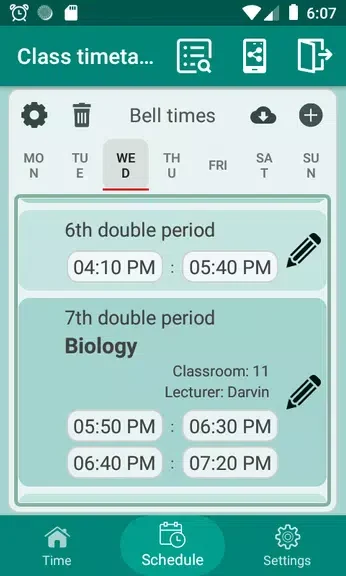
Week presets let users enter classes for each day, while the available templates can be personalized to suit their needs. Together, these options provide a way to build a weekly schedule around the user’s own classes rather than relying on a single fixed timetable format.
Keep an eye on lesson times
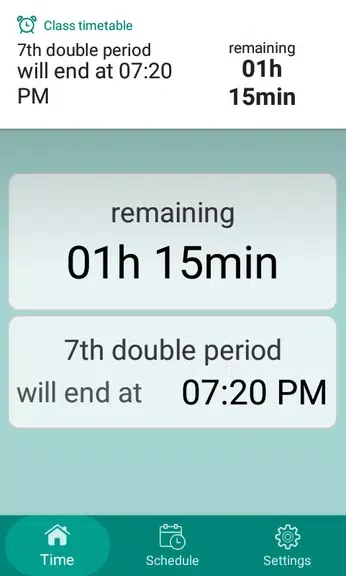
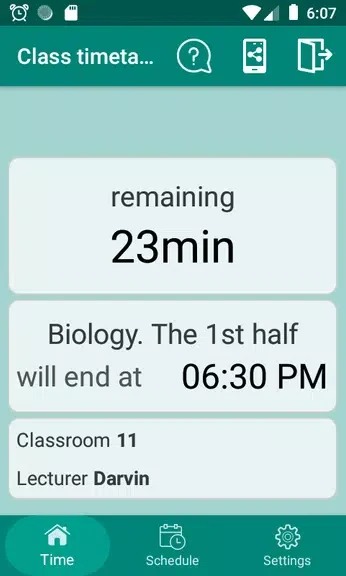
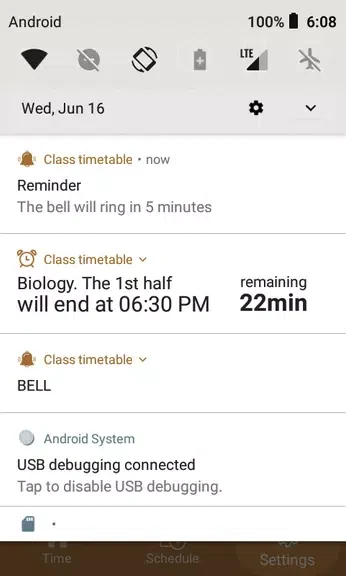
Class Timetable shows the exact time remaining until a lesson ends and sends a notification five minutes before that point. These timing details can help students follow their schedule during the day. The source also describes a feature for skipping classes users do not need to attend.
Share schedules and change timezones
Users can share their timetable with friends, which may help when coordinating schedules. The app also allows timezone changes without adjusting the device’s system timezone. This option is identified as useful for travelers or students studying abroad who need to view class times in another timezone.
Version history
View all29 Nov 2024 · stable
Frequently asked questions
When does Class Timetable send a lesson notification?
It sends a notification five minutes before a lesson ends.
Can I change the timetable’s timezone without changing my device setting?
Yes. The app supports switching timezones without changing the device’s system timezone.
Can I share my timetable with friends?
Yes. Class Timetable includes a feature for sharing timetables with friends.