
Screenshots


About this app
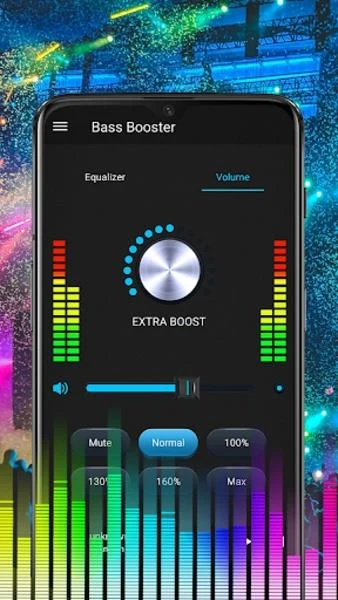
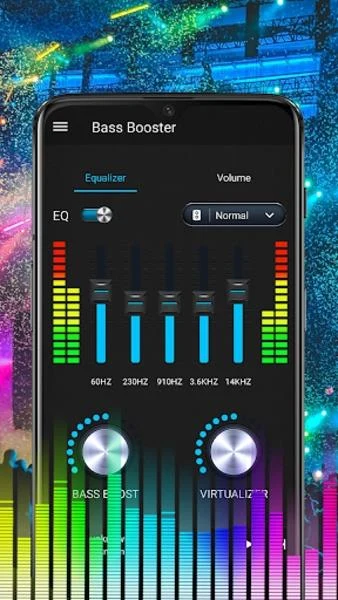
Equalizer App is an audio-processing tool for adjusting sound during music and video playback. Its controls cover frequency levels, bass and volume, while preset and custom settings offer different ways to shape the sound.
Adjusting sound for music or audio
For music, the supplied instructions say to start playback in a music player, then open the equalizer controls to adjust sound level and frequency. Bass Boost and Volume Boost are listed among the available functions, alongside stereo surround sound and a five-band EQ. The description also says users can change extended frequency parameters by up to ±15 dB, providing a stated range for sound adjustments.
The app describes an advanced equalizer engine with a configurable frequency-band range from 5 to 32. It also refers to balancing parameters to shape the sound. These controls are intended for people who want to make their own adjustments rather than rely only on a preset. The source separately lists a five-band EQ, so it does not clarify how that feature relates to the configurable range.
Using sound controls with video
The same instructions describe adjusting sound level and frequency and controlling volume before letting the app run in the background. Users can then open a video player and play a video. The description presents this as a way to apply its sound controls to video playback, without specifying that the app changes the video itself.
Choosing or customizing a sound profile
Ten built-in EQ presets are listed: Normal, Classical, Dance, Flat, Folk, Heavy Metal, Hip-Hop, Jazz, Pop and Rock. Users can also customize presets or set their own sound effects. The description says presets can be assigned to different music genres or specific devices, allowing the selected settings to correspond to those categories.
AutoEQ is described as an option for automatic audio enhancement. The source does not explain its setup or how it selects adjustments. Along with the presets, this gives users both a listed automated option and manual parameter controls, without implying that one automatically configures the other.
Keeping controls accessible
Equalizer App lists notification controls, a spectrum display and 16 colorful themes. Its instructions say that to close the app and remove it from the status bar, users can press the notification's close button. The source recommends headphones for music or audio effects, but does not specify a requirement to use them.
Version history
View all17 Oct 2025 · stable