
Screenshots


About this app
Overview
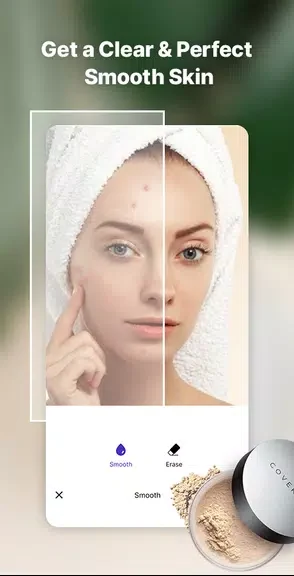
Facetune Editor is a face photo editor that helps you make focused changes to selfies with a small set of retouching tools. You can reshape facial features with swipes, soften skin with a foundation effect, and remove visible issues such as acne, pimples, red eyes, wrinkles, and dark circles. The app also includes an eye-brightening tool for adding more emphasis to the eyes in a photo. These features can be used separately, so you can make subtle adjustments or combine several edits when preparing a polished selfie.
What You Can Do
⭐ Reshape facial features by swiping over areas of the face to slim or change their form, including the nose, face shape, and lips.
⭐ Smooth the skin with the foundation effect to soften the appearance of the complexion in a selfie.
⭐ Remove blemishes and other visible imperfections, including acne, pimples, wrinkles, and dark circles.
⭐ Reduce the appearance of red eyes to create a cleaner-looking portrait.
⭐ Brighten the eyes so they stand out more clearly in the finished photo.
Using the App
The editing workflow is based on direct adjustments rather than a complex sequence of controls. Start with the area you want to change, then use the relevant tool and apply the adjustment with a few swipes. For a natural-looking result, the supplied guidance recommends using reshape subtly instead of making large changes. Skin smoothing can be tested alongside blemish removal, while eye brightening provides a separate finishing adjustment for the eye area.
Why It May Appeal
✅ The focused tools cover several common selfie-editing tasks in one app, from facial reshaping to skin and eye adjustments.
✅ Swipe-based controls make it possible to work directly on the facial area that needs editing.
✅ The separate retouching options let you choose between a small correction and a broader polished look.
Developer
Facetune Editor is listed as being developed by From the Couch.
Version history
View all28 Nov 2024 · stable
Frequently asked questions
What can Facetune Editor edit?
It can reshape facial features, smooth skin, remove acne, pimples, red eyes, wrinkles, and dark circles, and brighten the eyes in photos.
How does the reshape tool work?
The reshape tool uses swipe-based adjustments to slim or change the shape of selected facial areas.
Does Facetune Editor include skin smoothing?
Yes. It includes a foundation effect designed to soften the appearance of the skin.