
Screenshots
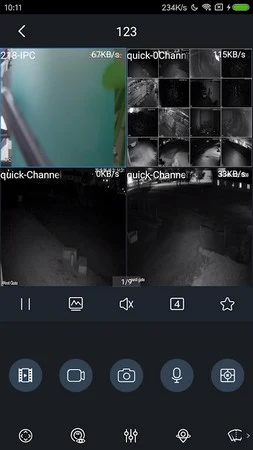
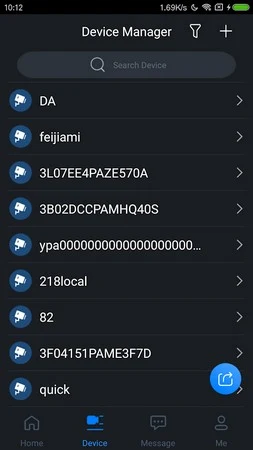
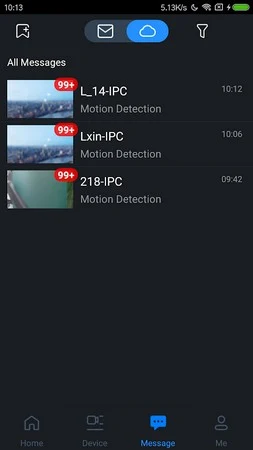
About this app
gDMSS Plus is an Android app for monitoring and managing connected security devices, including cameras at different locations. It brings live camera views, recorded footage playback, and alarm-related functions into one interface.
What kinds of security equipment can gDMSS Plus connect?
The supplied description lists wireless and wired cameras, IP cameras, dashcams, network video recorders (NVR), digital video recorders (DVR/XVR), and IVSS video surveillance systems. It also names video intercoms and automatic doorkeepers. The app is described as supporting connections to multiple devices and locations, so users can manage different security systems from a shared platform. The equipment available to a particular user depends on the devices they have to connect.
What can I do in the Camera, Access Control, and Alarm modes?
The app presents Camera, Access Control, and Alarm as its three modes. Camera is the documented option for viewing a live preview from connected cameras and accessing recorded CCTV footage. The description says the Alarm mode can connect an alarm hub, which must be initialized before it is added to the device list. Access Control is named as a mode, but the supplied information does not detail its controls or supported equipment, so its specific functions cannot be established here.
Can I review footage from earlier dates?
gDMSS Plus includes playback for recorded video. Its description identifies a calendar system for finding CCTV footage captured on previous days or months, accessed through the Device List icon. This can help users review earlier recordings rather than relying only on a live preview. The source does not specify how long recordings remain available; playback depends on footage being recorded and accessible from the connected equipment.
How does the app handle live views and connected devices?
Connected devices can be added to the app and viewed from its shared interface. The source describes camera thumbnails and individual camera views, but gives conflicting details about how many live feeds can be viewed at once. It also mentions adding one or several devices at a time, depending on the device type. A demo option is described for Camera, while the source says this option is unavailable in Door. These details may help prospective users understand the listed controls, but they do not establish a single viewing limit for every setup.
What navigation controls and help information are described?
The interface is described as using an invisible task wheel, finger gestures, and sliding windows for navigation. A Help section contains information about using the app, and its FAQ page covers troubleshooting common technical issues. The app is described as compatible with Android phones and smart TVs; no minimum Android version is established by the supplied system information.
Version history
View all09 Oct 2025 · stable
Frequently asked questions
What is needed for Push Alarm notifications?
The supplied information says both the connected device and phone need internet access. If the Google Cloud Message server has changed, re-subscribing in the Push Config section may be necessary.