
Screenshots
About this app
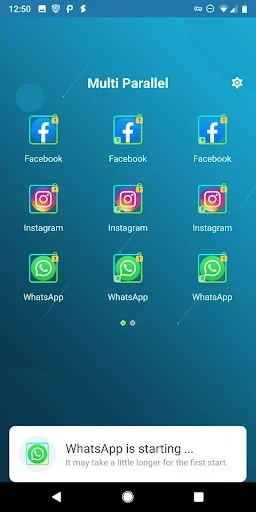
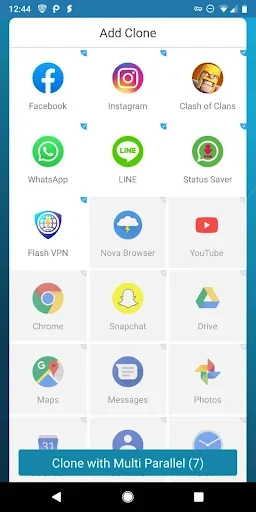
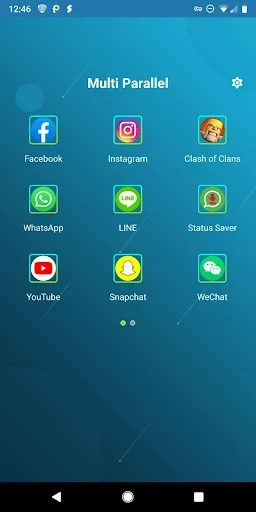
Multi Parallel is a multi-account tool that lets users clone apps and run multiple instances on a single Android device. It addresses the common need to handle separate work and personal profiles without repeated logins or account switching. The main benefit is that cloned apps keep their data completely apart from the original versions, which supports clear boundaries for different uses.
How does Multi Parallel keep cloned apps separate?
Multi Parallel creates clones where each instance maintains its own data storage. This separation prevents information from one account mixing with another. The structure works with common game services and regular apps, so cloned versions behave as expected while remaining isolated inside the tool.
What options exist for switching between accounts quickly?
The app generates distinct icons marked with clone tags. Users can move between accounts through a single tap. Clear labels help locate the correct profile even during busy periods, reducing the time spent searching for the right instance.
Can users protect their cloned accounts with security features?
Multi Parallel includes a Privacy Locker that lets users set a lock on the main app or on individual clones. This choice determines which accounts require a passcode before opening, adding protection when the device is shared with others.
Does the app offer ways to reduce its impact on device resources?
Lite Mode lowers memory and power consumption during daily operation. The tool stays light when handling multiple clones. Users are advised to add the app to the notification whitelist and grant necessary permissions so that clones function correctly. The app collects only general usage statistics and device model information to improve stability and does not gather personal data.
Who benefits most from using Multi Parallel?
People who need separate profiles for social networks, games, messaging services, and productivity apps gain the most from the tool. It supports unlimited cloning and works with many popular applications. The design fits users who manage both personal and professional accounts on the same phone or who want to keep distinct game progressions isolated. Source material notes that some users reported slow loading times and occasional crashes, though the tool remains focused on straightforward account separation and efficient resource handling.
Version history
View all26 Aug 2026 · stable