
Screenshots
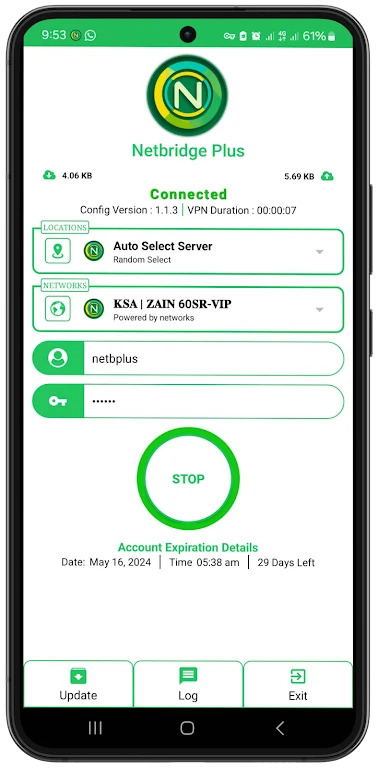
About this app
Netbridge Plus VPN helps encrypt internet activity and mask the user’s IP address, making it intended for more private browsing on public Wi-Fi and other networks. The app is presented as a straightforward VPN client for connecting to servers in different locations, with settings that let users adjust how the connection behaves. Its features are aimed at people who want to reduce exposure while browsing, streaming, downloading files, or using online services, while keeping the connection process accessible to both new and experienced VPN users.
Protection on public and private networks
The app encrypts online activity so that third parties have less opportunity to monitor the connection. This is particularly relevant when using free public Wi-Fi, where users may be more concerned about the privacy of data moving across the network. The source also describes the app as suitable for private networks, so its purpose is not limited to a particular type of connection.
IP masking and server locations
Netbridge Plus VPN masks the user’s IP address, which can make it harder for websites and online services to associate activity with the original network location. The app provides server locations in different parts of the world, and the source says users can select a server closer to their physical location to help reduce latency. It also describes server selection as a way to access websites or content that may be restricted by region, although availability can depend on the individual service.
Connection speed and everyday use
The app is described as providing high-speed VPN connections for activities such as browsing websites, streaming videos, and downloading files. A nearby server may be useful when responsiveness matters, including during streaming or gaming. These functions work together with the encryption and IP-masking features: users can choose a location for the connection while keeping the VPN active for the supported privacy functions.
Automatic connections and custom settings
Users can enable auto-connect so the app connects to a VPN server when they access the internet. The settings also include choices between VPN protocols, DNS leak protection, and a kill switch, along with custom connection profiles. These options allow users to adjust the connection according to their preferences rather than relying only on a basic connect action.
Use across devices
The source states that Netbridge Plus VPN supports multiple devices under one VPN subscription. It names desktop computers, laptops, smartphones, and tablets as supported device types, allowing users to install the app across those devices and use the same service for browsing protection on each one.
Version history
View all18 Oct 2024 · stable
Frequently asked questions
What does Netbridge Plus VPN do?
It encrypts internet activity, masks the user’s IP address, and connects through VPN servers in different locations.
Does the app include automatic connection options?
Yes. The source says users can enable auto-connect so the app connects to a VPN server when they access the internet.
Can users customize the VPN connection?
Yes. Available settings described in the source include VPN protocol choices, DNS leak protection, a kill switch, and custom connection profiles.
Can it be used on more than one device?
The source states that the app offers multi-device support under a single VPN subscription, including desktop computers, laptops, smartphones, and tablets.