
Screenshots

About this app
Troubleshooting internet and mobile connection problems
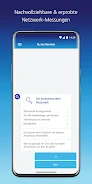
The o2 my Service app is designed to help users diagnose and resolve problems with their internet and mobile connection. Its central purpose is to let users work through these issues on their own. The app detects problems automatically, so users do not need to wait in line for support before starting. According to the app description, it then provides clear instructions and solutions intended to help users fix the problem independently.
How problem detection and interactive help work
Automatic problem detection is the starting point of the troubleshooting process. The description says this detection allows efficient troubleshooting without any waiting time. Once a problem is identified, the app gives direct access to the instructions relevant to resolving it.
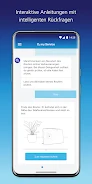
The interactive help feature adds a question-and-answer layer to this process. It is described as offering automated problem solving, easy-to-understand explanations, and intelligent follow-up questions. These questions are meant to narrow down the cause of the issue, so the guidance can respond to the user's situation rather than presenting only one fixed set of steps.
Contacting customer service and sending data to the hotline
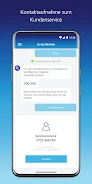
When self-guided troubleshooting is not enough, the app can be used to contact customer service directly. The description states that reaching customer service is made convenient through the app, but it does not list the available contact channels in detail.
The source also notes that data analysis can be sent to the hotline to speed up processing. The description does not specify which data is included or how it is handled, so users who want those details should check the app's own information before relying on this feature.
Setup assistant features
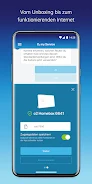
The setup assistant covers tasks beyond troubleshooting. According to the description, it reminds users of important dates, scans the router using the device camera, and configures the internet connection automatically. These functions relate to setting up the connection, which complements the troubleshooting tools in the same app.
Listing details
The app is listed in the Tools category with version 1.23.3. The supplied information does not include supported Android versions, so compatibility should be confirmed in the app store listing before installation.
Version history
View all22 Jun 2024 · stable
Frequently asked questions
Does the app send data to customer service?
The app description says data analysis can be sent to the hotline to speed up processing. It does not specify which data is included or how it is handled, so those details should be checked in the app's own information.