
Screenshots
About this app
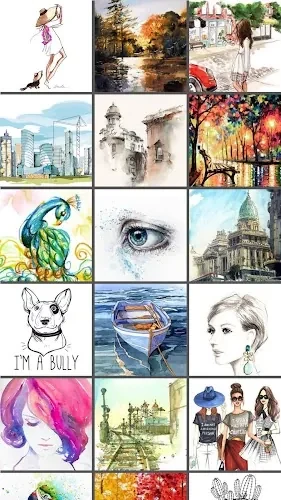
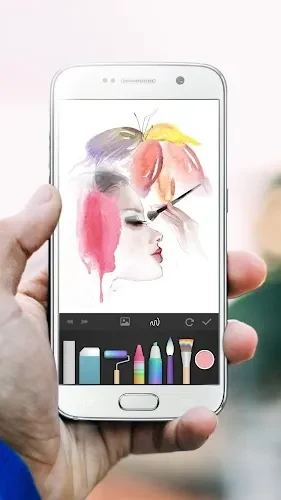
PaperColor lets you draw and paint on a phone or tablet, combining brush choices and a color library with tools for working on pictures. You can make a doodle, create graffiti-style artwork, or add marks to an existing photo. For drawings with several elements, layers let you keep a sketch, colors, details, and background separate. A ruler, eraser, and handwriting signature tool complement the painting controls, while a base map function supports drawing practice. The app also lets you share finished artwork online.
Brush controls for different effects
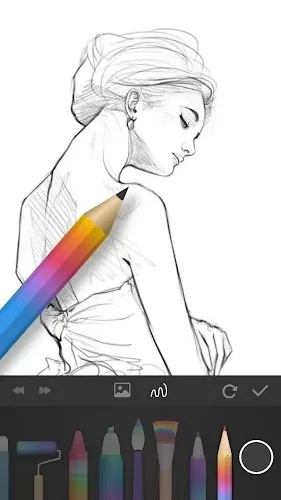
The brush selection includes styles that imitate real paintbrushes. Settings for size, opacity, and hardness give you ways to change the appearance of your strokes, while the color library provides choices for your palette. Some brushes also support blending or smudging, allowing you to soften edges or make transitions between colors. Blending modes and intensity controls offer further adjustments to these effects.
Separate sketches, colors, and details
Layers provide a way to organize different parts of a drawing rather than placing everything together. You can use separate layers for the initial sketch, base colors, finer details, and background. Alongside this structure, the ruler supports line work and the eraser lets you remove marks. The handwriting signature tool provides a way to sign your artwork.
Draw on pictures and practice with a base map
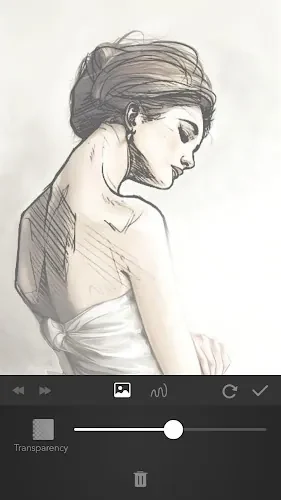
PaperColor supports marking up photos and drawing on pictures, so your starting point does not have to be a blank canvas. It also includes a base map function intended to help users learn drawing techniques. These options serve different tasks: adding your own marks to an existing image or using the base map as part of drawing practice.
Share a finished piece
Once your drawing or painting is complete, you can share it on the internet. This gives the app a path from making a sketch or annotated picture to showing the finished result to others.
Version history
View all26 Oct 2024 · stable
Frequently asked questions
Can I draw on photos in PaperColor?
Yes. PaperColor lets you mark up photos and draw on existing pictures.
Does PaperColor support layers?
Yes. You can use layers to separate elements such as a sketch, base colors, details, and background.
Which brush settings can I adjust?
Brush settings include size, opacity, and hardness. Some brushes also offer blending or smudging, with blending modes and intensity adjustments.
Does PaperColor include a tool for drawing practice?
Yes. It includes a base map function intended to support learning drawing techniques.