
Screenshots
About this app
What types of documents and files can be printed?
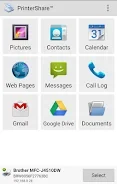
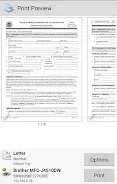
PrinterShare Mobile Print supports a wide range of common file formats to ensure you can print what you need without format conversion hassles. Users can print standard document formats including PDF, Microsoft Word, Excel, and PowerPoint files. Additionally, the application handles photos, emails, invoices, bills, text messages, and web pages directly from an Android phone or tablet.
Where can your print materials originate from?
The application connects directly to various storage locations on your device and in the cloud. You can select files stored in your local device memory or pull content from popular cloud storage providers such as Google Drive, OneDrive, Box, and Dropbox. For specialized tasks, the app supports printing shipping labels directly from your device browser to supported thermal printers, such as UPS shipping labels.
How can print settings and job layouts be customized?
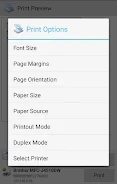
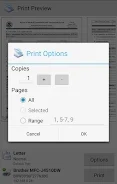
Before sending a print job, users can adjust multiple configuration settings to match their specific requirements. Available options include choosing paper sizes, selecting page orientation, switching between color and monochrome output, and specifying the desired number of copies to print.
What connection methods are available for nearby and remote printers?
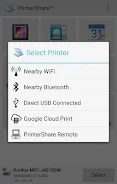
The application supports printing to a broad variety of printer setups. Depending on the version and your network configuration, you can print using nearby wireless printers, USB OTG connected printers, Windows shared printers, and Mac shared printers. For remote tasks, the app supports printing over the internet with designated page allowances in the free version.
Version history
View all05 Jun 2024 · stable
Frequently asked questions
Can I print from cloud storage accounts using PrinterShare Mobile Print?
Yes, the app integrates with cloud providers like Google Drive, OneDrive, Box, and Dropbox so you can print stored files, images, and attachments directly.
Is it possible to print UPS shipping labels with this application?
Yes, you can print UPS shipping labels directly from your device browser to supported thermal printers.
What print adjustments can be made before printing?
You can customize settings such as paper size, page orientation, color or monochrome mode, and the number of copies.
What printer connection types are supported?
Supported connection types include nearby wireless printers, USB OTG connections, and shared printers hosted on Windows or Mac computers.