
Screenshots
About this app
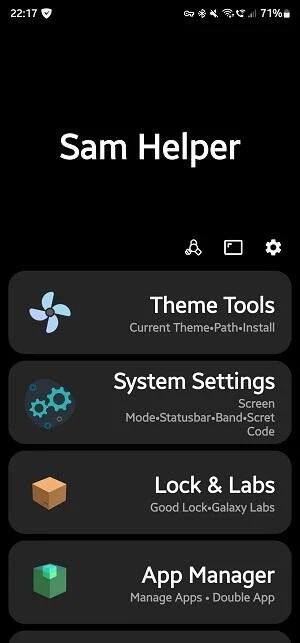
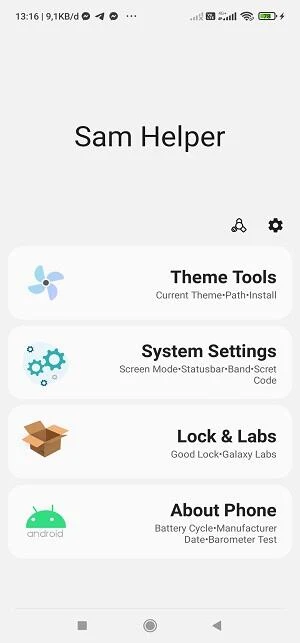
Sam Helper is a Samsung-focused utility for adjusting device settings, managing installed apps, and reviewing parts of a Galaxy phone or tablet’s system activity. Its tools combine appearance controls with deeper options for animations, themes, fonts, battery information, and application handling. Some advanced functions require root permissions or ADB access, while Shizuku-related commands require Shizuku to be installed.
Device appearance and screen controls
The customization area lets users change the typeface and theme used on the device. The source describes both dark and bright themes, along with options for removing unwanted themes or fonts, checking the active theme or font, changing application icons, and selecting a device wallpaper.
Sam Helper also includes controls for screen presentation. Users can adjust the speed of transitions between screens and change screen modes for different viewing conditions. These controls are intended for people who want to alter how the interface looks and responds rather than relying only on Samsung’s standard settings.
System settings and device information
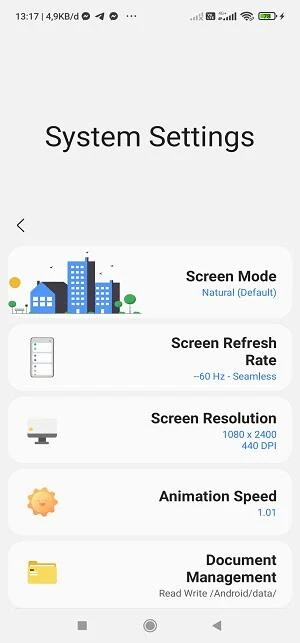
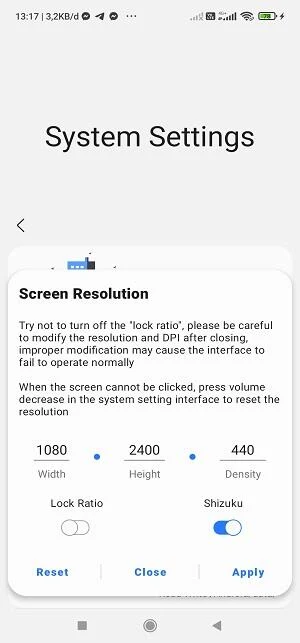
The app collects system-oriented controls in one place, including settings related to transition speed and other device behavior. The source notes that some of these options are not available on every Samsung device through the normal interface and may require root permissions or ADB access. Those requirements are important when considering the advanced settings, because the available controls can depend on the device configuration and access method.
Sam Helper also presents information about battery use and applications that consume power. Its monitoring features are described as a way to inspect device status and identify power-hungry apps. The source additionally refers to CPU settings and real-time monitoring, allowing users to review system activity and adjust available controls for different uses. It does not establish that every setting is available on every Samsung model.
Built-in app management
The built-in app manager is designed for common application-handling tasks. Users can uninstall apps, export an app’s APK file, and copy an application package name for later use. These functions place several app-management actions inside Sam Helper instead of requiring separate tools for each task.
The source also describes dual-app installation for running multiple instances of an application. This capability is presented alongside Shizuku support, so users may need the relevant access setup before it can be used. Sam Helper’s app-management section is therefore useful both for routine organization and for more advanced handling of installed packages.
Shizuku and additional device tools
Shizuku Terminal integration is aimed at users who need to execute commands or reach additional capabilities on a Samsung device. The source specifically states that Shizuku must be installed for this function. An Additional section is also described as providing a barometer test, which may be relevant when checking the sensor for uses such as a weather-station project.
Because these tools involve commands, device settings, and access methods such as Shizuku, root, or ADB, they are distinct from the app’s visual customization features. The source does not provide a universal list of supported commands or guarantee that every advanced option will work on all Samsung hardware.
Tasks, calendar information, and notifications
Alongside its Samsung device tools, Sam Helper includes task-management functions. Users can create tasks for particular times, mark them as done, and receive notifications when tasks are not completed on schedule. Push notifications can also deliver reminders, suggestions, and other important notices when enabled.
The app can gather information about dates and events, including birthdays, meetings, exams, and special events in a country. This calendar-related information is intended to reduce the need to open a separate calendar application for every check. The source also says that Sam Helper can synchronize with the calendar and other apps on the phone, although it does not provide a complete list of supported applications.
Voice commands and suggestions
A Talk to the App option allows users to issue spoken commands instead of typing. The listed examples include making calls, sending messages, opening music, and launching applications. These voice functions sit alongside task reminders and calendar information, giving the app an assistant-style set of controls in addition to its system utilities.
Sam Helper is also described as observing daily habits to provide suggestions for completing tasks. This feature is presented as a way to recommend actions based on usage patterns. Users can enable notifications for these suggestions and reminders, while synchronization connects relevant information with other applications on the device.
Using the utility’s different sections
The app’s functions cover several separate needs: appearance changes are handled through themes, fonts, icons, wallpapers, and screen modes; system-oriented tools cover settings, battery information, CPU controls, and monitoring; and the app manager handles installed packages and APK exports. Tasks, calendar data, voice commands, and notifications provide a separate layer for organizing daily actions.
Advanced controls should be considered in light of their stated requirements. Root permissions or ADB access may be necessary for some system settings, and Shizuku installation is required for the Shizuku Terminal functions. The source describes Sam Helper as intended for Samsung Galaxy phones and tablets, but does not specify a complete model list or guarantee that every feature is compatible with every device.
Version history
View all25 Jul 2025 · stable