
Screenshots
About this app
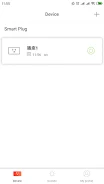
Tenda Beli is an Android app for connecting and controlling compatible Tenda Beli devices from one place. Its documented functions focus on remote access, scheduled device control, Away mode, and voice interaction through selected voice-activated platforms.
What can Tenda Beli control?
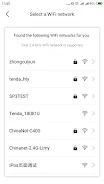
The app is designed to connect Tenda Beli devices and let you control them from anywhere. This can be useful when you want to manage connected equipment without being physically near it. The source describes the controls as available at any time and emphasizes managing multiple devices through a single interface.
Can device actions be scheduled?
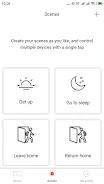
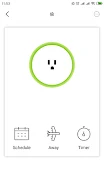
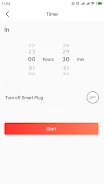
Yes. Tenda Beli supports schedules for turning connected devices on or off automatically. These schedules can be matched to a daily routine, so a device can change state at a planned time rather than requiring a manual action each time.
What does Away mode do?
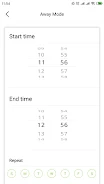
Away mode is intended to mimic activity at home while you are elsewhere. The source describes it as making it seem as though someone is present, including when the user is travelling far from home. This feature is presented as a way to create the appearance of occupancy, not as a guarantee of protection.
Does it support voice control?
Tenda Beli is described as compatible with Amazon Echo and Google Assistant for voice-based control of connected Tenda Beli devices. The app also includes a user-friendly interface intended to make navigation accessible to people with different levels of technical experience.
What future support is mentioned?
The source refers to additional features and more Tenda Beli devices being planned for future integration. These statements describe possible future expansion rather than functions that should be assumed to be available in the current version.
Version history
View all30 May 2024 · stable
Frequently asked questions
What is the listed app version?
The supplied listing identifies version 1.6.2.
Which category is Tenda Beli listed under?
The supplied listing places Tenda Beli in the Tools category.