
Screenshots

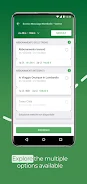
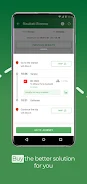

About this app
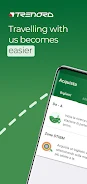
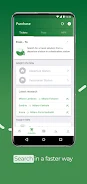
Trenord - Train Timetable is an Android app for checking train timetables and managing several types of rail and transportation tickets. Its tools also cover favorite travel references, service notifications, and selected Trenord promotions.
What tickets and passes can be purchased?
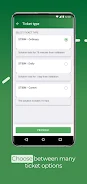
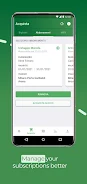
The app supports purchases for train tickets, the IO VIAGGIO card, Stibm fares, and rail passes. It also lists multi-journey passes and carnet tickets, giving travelers several ticket formats within the same application. Malpensa Express tickets are available for Terminal 1 and the other terminal identified in the source description.
Can multi-journey passes be activated in the app?
Yes. The Tap&Go feature is described as a way to activate multi-journey passes. This is separate from the app's purchase functions and is specifically associated with multi-journey travel products.
How can the home screen be personalized?
The layout allows users to customize the homepage with favorite trains, lines, and stations. These choices are intended to provide quicker access to the services and locations a traveler checks most often. The app also supports saving credit card details for quicker payment processing.
Does it provide updates about a train or line?
Notifications can be enabled for a specific train or line. This gives the app a way to present updates related to selected services rather than limiting its role to timetable lookup.
Where are promotions shown?
The app includes information about promotions such as Discovery Train and Trenord Subscribers offers. These may include special prices or events, according to the supplied description. Promotion availability and details are presented as part of the app's content rather than as a guaranteed feature for every journey.
Version history
View all31 May 2024 · stable
Frequently asked questions
What app version is listed in the source?
The supplied source lists version 4.4.0.
What category is associated with the app?
The source places Trenord - Train Timetable in the Tools category.
How can feedback be sent to the app team?
The supplied description gives [email protected] as the contact address for feedback or suggestions.