
Screenshots
About this app
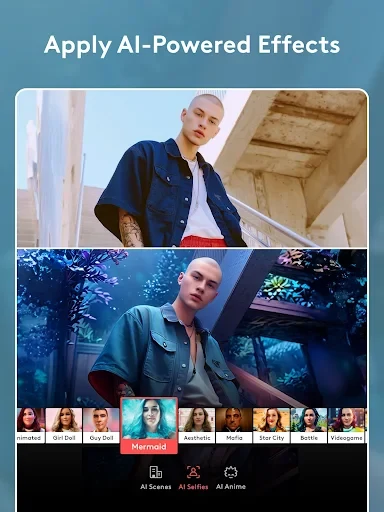
Videoleap is a mobile video editing application for assembling and refining video projects with timeline tools, visual adjustments, effects, text, and captions. Its documented AI-assisted features can help adjust video elements, change backgrounds, remove redundant elements, apply filters and effects, and enhance footage. The app is designed for projects ranging from short social clips and advertisements to longer-form video work.
Build projects from clips and layers
The editing workspace supports merging multiple clips into a single movie and changing the duration of individual clips on the timeline. This gives users control over how long each added section remains in the project and how the finished sequence is arranged. Videoleap also supports layer-based editing, including the ability to blend images and videos. Custom transitions, titles, overlays, borders, and other effects can be added to shape the appearance of a project.
Adjust the look of footage
Videoleap provides controls for brightness, contrast, and saturation. These adjustments can be applied to individual clips or across the entire timeline, depending on the editing task. The listed enhancement tools also include sharpening details and 4K quality enhancements. AI filters and effects are available alongside these manual controls, while the app's AI features are described as supporting background changes and the removal of unwanted elements.
Add text, captions, and narration
Custom text and subtitles can be inserted into videos to provide titles, captions, or other written information. Users can also record narration directly in the app when an external microphone source is needed. Together, these tools support projects that combine edited footage with on-screen text and recorded voice content.
Share completed videos
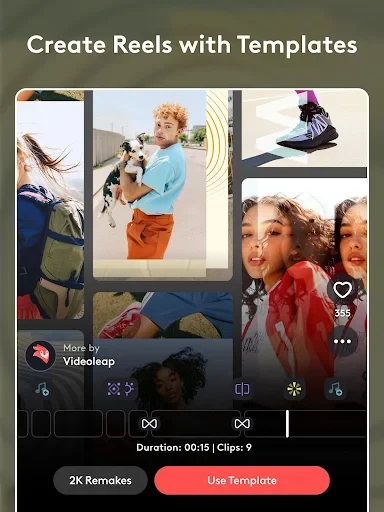
Finished work can be shared directly from Videoleap to YouTube, Facebook, and Instagram. The app also provides ready-made templates for users who do not want to begin every project from scratch, while its broader editing tools allow projects to be created without relying on a template.
Documented limitations
The supplied information notes that audio, images, and text are not locked within clips. It also warns that video and audio may become unsynchronized and that the app may be prone to crashing when handling videos longer than one hour. These limitations are relevant when planning projects with extended footage or closely timed media elements.
Version history
View all07 May 2026 · stable
Frequently asked questions
How much storage space does Videoleap require?
The supplied information lists an approximate size of 33.61 MB, or 35,241,307 bytes, for the base file. The amount may vary slightly by device or because of additional downloaded data.
What can cause Videoleap installation to fail?
The listed possible causes are insufficient device storage, an unstable network connection, or incompatibility with the Android device.