
Screenshots
About this app
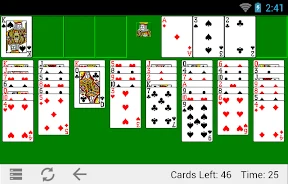
Classic FreeCell is a mobile card game that brings the familiar desktop FreeCell solitaire experience to Android devices, offering faithful card artwork, classic scoring, and patient puzzle play. The app addresses the task of playing the traditional solitaire variant on mobile devices by recreating the classic desktop layout while incorporating modern conveniences like automated dealing, optional timed or untimed sessions, and unlimited undos. Its clearest supported benefit is allowing players to practice strategies without penalty while enjoying a retro aesthetic combined with smooth touch controls.
How does the traditional ruleset work in mobile play?
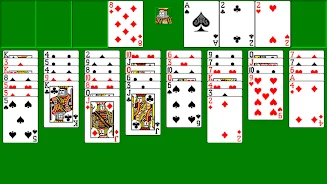
The core experience centers on the traditional FreeCell ruleset, where you build foundations by suit, move cards to four free cells, and use strategic stack moves to clear the tableau. Smart super-move logic lets you shift multiple cards in a single action when the move is legal, which helps reduce repetitive tapping during common rearrangements. Automated dealing and an instant-deal button keep session setup fast, while unlimited undos allow you to backtrack any number of steps to explore alternate solutions without losing progress. For touch screens, the game supports double-tap gestures to send a card to a free cell or foundation alongside drag gestures for fine control.
What gameplay modes and controls are available?
Gameplay focuses on deliberate planning and pattern recognition, treating each deal as a self-contained puzzle where card arrangements determine difficulty. The controls are optimized for mobile play through precise drag-and-drop mechanics, double-tap shortcuts, and optional auto-complete for finished foundations. Scoring mirrors classic desktop FreeCell rules to provide familiar benchmarks for experienced players. Newcomers can enable on-screen hints and step suggestions to learn standard techniques, such as freeing blocked cards and building temporary stacks in the available free cells.
How is progression and challenge structured across sessions?
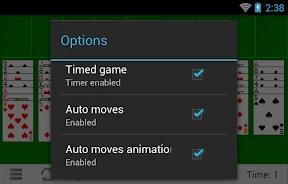
Rather than using linear levels or campaigns, progression comes from mastering different deal layouts and improving completion speed and score. The app offers a mix of classic numbered deals and randomized layouts so you can replay specific puzzles or encounter new challenges in each session. A timed mode introduces a pressure element for those who want to test their speed and efficiency, whereas untimed mode lets you work through complex hands at your own pace. Because every deal is deterministic, you can practice particular openings repeatedly to refine your tactics.
What visual customization and accessibility settings are included?
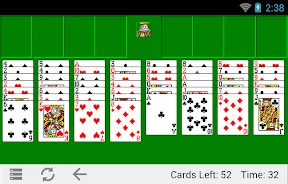
Classic FreeCell preserves the look and king artwork reminiscent of older PC releases while offering a selection of card styles, allowing you to choose between retro, modern, and ornate themes. You can also adjust card size and spacing to match your screen and visual comfort, while the interface keeps controls unobtrusive by placing undo, hint, and deal buttons outside the main play area. Accessibility options include adjustable card sizes to aid visibility, clear contrast between suits, toggles for hints and move confirmations, adjustable control sensitivity, and the ability to disable timed mode entirely for a relaxed playthrough.
Can the game be played offline and across different devices?
The app is designed to work fully offline so you can play anywhere without an active network connection, as local device storage handles game logic, deal generation, and save states. Performance is optimized for smooth animations and quick responses across a wide range of devices, minimizing load times between deals and ensuring that gestures and undo actions feel immediate. Furthermore, the game saves your session state automatically so you can pause and resume later, and the responsive interface delivers a consistent experience on both phones and tablets.
Who will find this card game most useful?
Classic FreeCell is built to be familiar to seasoned fans of the original PC releases who want to jump straight into puzzle-driven card play on the go. At the same time, its adjustable card sizes, hint toggles, untimed modes, and step suggestions make it approachable for newcomers who want to learn standard solitaire techniques. Whether you are looking for a quick, casual deal or a rigorous, timed puzzle challenge, the app provides a dependable mobile take on one of strategy solitaire's most enduring variants.
Version history
View all06 Aug 2026 · stable