
Screenshots
About this app
4K Wallpaper Expert is an Android customization app for changing your device background. Its main purpose is to help you find a high-resolution image in a large, categorized library and apply it to your home screen or lock screen from inside the app. The listing describes the app as a tool for personalizing your phone's look with HD and 4K wallpapers.
Browsing a large library to find a background
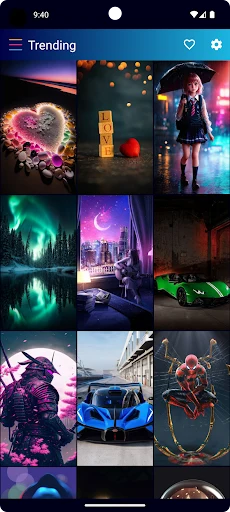
The app's central task is searching through its image collection until you find a wallpaper you like. According to the listing, the library contains more than 70,000 high-resolution backgrounds, spread across categories such as 3D, Abstract, Animals, Cars, Festivals, Anime, nature and travel, vehicles, minimalism, movies, sports, and motivational quotes. The description also names Dark, Black, and Minimalist collections as a particular strength.
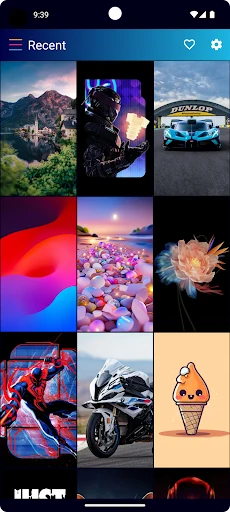
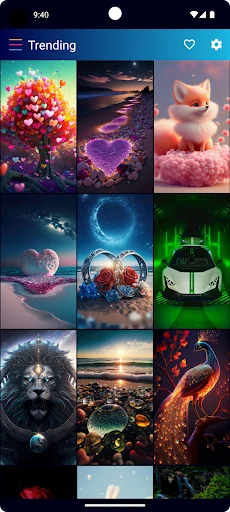
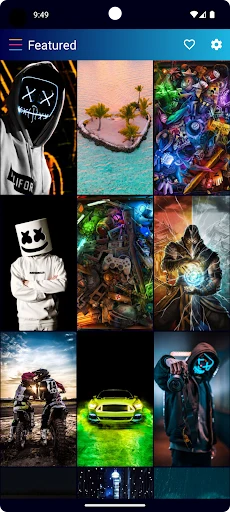
To narrow the search, the listing mentions four browsing sections. Recent shows the newest additions. Trending shows wallpapers described as the most popular based on downloads. Stand out presents wallpapers that the listing says were selected by the design team. Random lets you swipe down to see new images you might not have looked for. These sections give you different ways to explore the library, depending on whether you want fresh uploads, popular choices, or a surprise.
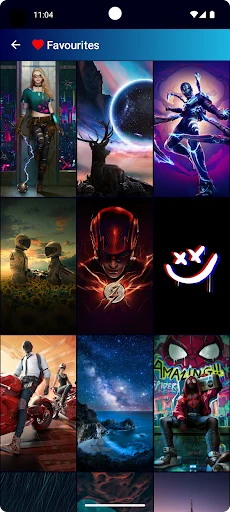
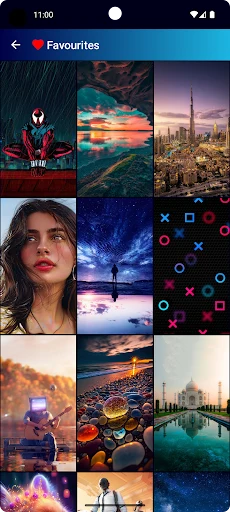
Before committing to an image, you can preview it. The listing says this step comes before you decide whether to set the wallpaper as your Home or Lock screen background. If you find several images you like but are not ready to choose one, the description says you can save them to a Favorites section for easy access later.
Refreshing your screen with daily and seasonal content
If you want your background to change over time, the listing describes several features built around new content. It says new wallpapers are added every day and that the library is updated regularly with images from different sources. It also says the developer selects higher-quality images for the collection.
Event-themed wallpapers are another part of this use. The description states that the app releases exclusive wallpapers tied to holidays, events, and seasons, with examples including Christmas, New Year's, Valentine's Day, International Women's Day, and the World Cup. According to the listing, these special wallpapers rotate in automatically. The About section also mentions automatic daily changes as a customization tool, although the supplied information does not describe how that setting is configured.
Taken together, these features suit a user who wants a changing background rather than a single fixed image. The listing presents daily and seasonal updates as a way to keep the home screen current without manually searching for new images each time.
Setting a wallpaper for the home and lock screens
Once you have chosen an image, the main action is applying it. The listing states that you can set a wallpaper for the Home screen, the Lock screen, or both. It says that both screens can be set with the same wallpaper at the same time, which the description presents as a way to create a consistent look.
The description also says that the latest updated versions of the app allow some editing before you apply an image. The listed options are cropping, adjusting colors, and adding text. The supplied material does not explain how these tools work or which versions include them, so their availability on a particular device should be checked in the app itself.
How the app uses the network and device storage
The listing says the app works mainly through an internet connection and does not store its full library on the device. According to the description, you can open the library, choose a favorite image, and download it when needed. The listing states that this approach keeps the app from taking up too much space on the device.
The description also says that downloading is optimized for speed and that a selected wallpaper is applied immediately after download. These are the developer's descriptions. The supplied information does not include storage figures, network requirements, or offline behavior, so those details are not confirmed here.
Compatibility and device types
The listing describes 4K Wallpaper Expert as designed to work on a variety of devices, including smartphones, tablets, and computers. It also says the app is optimized for different platforms and screen sizes, and that the experience should remain smooth regardless of hardware. The supplied data does not include a minimum Android version or a list of supported devices, so compatibility should be checked on the app listing before installation.
The version information in the source is 11.0.191, and the category is listed as Theme. The source material does not provide a release date, a changelog, or an update schedule beyond the descriptions of regular content updates.
Paid version features described in the listing
The listing contains a section on the paid version. It describes the paid version as the option that removes ads, providing what the description calls a clean and uninterrupted space. The text says ads are permanently removed in that version. It also states that the paid version's interface is twice as fast as the regular version, which the description says makes browsing and searching quicker. Finally, the listing says priority updates belong to the Pro plan, giving access to new features and updated wallpapers sooner than free users receive them.
The supplied information does not give prices, plan names beyond Pro, billing terms, or any independent measurement of the speed claim. The paid-version details should be treated as the listing's own description of the product.
Practical notes from the listing
The listing offers a few suggestions for everyday use. It recommends exploring different topics and themes to find images that match your style, using daily updates to refresh your home screen regularly, and setting the same wallpaper on both screens for a consistent appearance. It also suggests using the optimized downloading process to change wallpapers quickly.
Version history
View all17 Jul 2025 · stable
Frequently asked questions
Can I set the same wallpaper on both the home screen and the lock screen?
The listing states that you can set a wallpaper for the Home screen, the Lock screen, or both at the same time.
How can I keep images I like for later?
According to the listing, you can save favorite wallpapers to a Favorites section for easy access later.
Does the app need an internet connection?
The listing says the app works mainly based on the network and downloads chosen images when needed. The supplied information does not describe offline use.
What does the paid version change according to the listing?
The listing says the paid version removes ads, provides a faster interface, and gives priority updates under the Pro plan. Pricing details are not included in the supplied information.