
Screenshots
About this app
Boom: Music Player is an Android app built around one main job: adjusting and enhancing the sound of music and other audio on your device. Its equalizer, bass enhancement and 3D surround sound controls are the core of the app, and the remaining features support playback, content access and day-to-day listening around that sound-shaping function.
Equalizing and enhancing playback sound
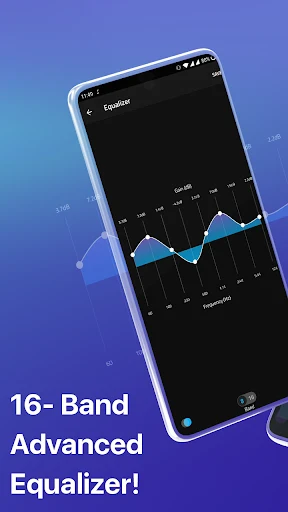
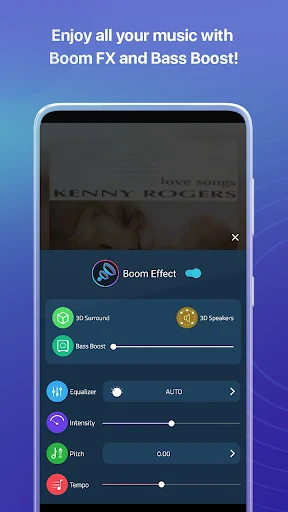
The app's central function is sound processing. The source describes a professional equalizer that lets users adjust different sound details and levels so that music can be heard according to their own preferences. It is based on an 8-band equalizer, and the source states that users can choose from 22 presets as a starting point. The presets are meant to produce noticeable results without requiring detailed knowledge of audio settings, while manual adjustment remains available for users who want more control.
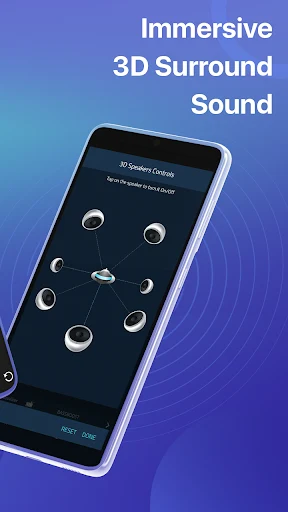
Two effects are named specifically in the source. A bass enhancement feature is intended for listeners who prefer strong low-end sound, such as EDM or other bass-heavy genres. A 3D surround sound effect is aimed at people who often listen with headphones. The source explains that the app works with headphones of many types and that the corresponding features can be customized for them. It also notes that headphones are needed to get the best sound quality from the app.
Playing local and cloud-stored audio
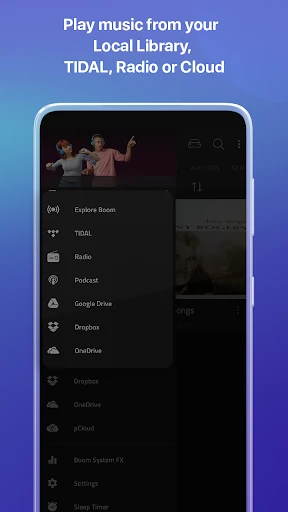
Boom: Music Player is also designed as a music player. According to the source, it supports widely used audio formats, including MP3 and WAV files, and can retrieve audio from several locations, ranging from files stored on the device to files kept in cloud storage. The source names Dropbox and Google Drive as places where users can stream or download their music with the effects applied. Playback tools documented in the source include a timer, volume control and song switching.
The app's high-resolution playback is described as suitable for hi-res audio files. The source does not provide technical details about supported resolutions, so the practical scope of that claim is limited to the general description in the source.
Streaming through linked music services
Another documented capability is linking the app with Spotify or TIDAL. According to the source, this lets users stream content from those services with the Boom sound processing applied, and the Boom feature is activated automatically during streaming. The source describes this as a way to hear streamed songs in higher sound quality and to experience audio content from other music streaming services.
An important limitation is stated directly in the source: users need to subscribe to the services provided by the publisher, meaning Spotify or TIDAL, to use this streaming feature. The Boom app itself does not replace those subscriptions according to the supplied information.
Music catalog, radio and podcasts
The source describes a content library covering many genres, including Pop, Ballad, Rap and classical and modern music, which the app presents in clearly separated categories. It also mentions that the app shows popular music ratings and integrates radio stations and podcasts. The figures in the source differ: one passage refers to more than 20,000 radios and 20,000 podcasts, while the conclusion describes over 20,000 local and international radio stations and 20,000+ podcast stations across 120 countries. The source also says that radio stations can be accessed for free, but these conflicting details on catalog size should be treated as unverified.
Interface and everyday use
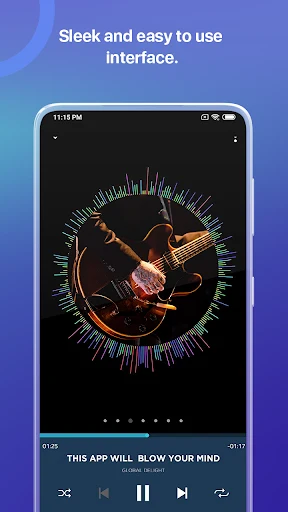
The interface is presented as a central part of the app's appeal. The source describes a playback screen with 3D-style imagery and instructions attached to on-screen features, which is intended to help users of different experience levels find and use controls. The source also says that the app includes a built-in library for browsing tracks and allows playlists to be created and shared on social media networks.
The source contains mixed statements about usability. Some passages describe the interface as simple and intuitive, while a listed drawback says it is not very intuitive for some users. Because these statements conflict, the most reliable description is that the source presents the interface as designed for ease of use while also acknowledging that some users may find navigation difficult.
Documented drawbacks and access limits
The source includes several limitations that are relevant for prospective users. It states that the app can drain battery life. It also says that some features are available only in premium versions that require payment, and that ads sometimes appear during use and can interrupt playback. The source does not specify which features require payment or the details of the advertising, so those points should be checked against the app itself before relying on them.
Version history
View all14 Jul 2025 · stable
Frequently asked questions
Do I need headphones to use Boom: Music Player?
The source says you need headphones to enjoy the best sound quality when using the app. It also notes that the app supports many types of headphones and that related features can be customized for them.
Does streaming from Spotify or TIDAL require a subscription?
Yes. The source states that users need to subscribe to the services provided by the publisher, such as Spotify or TIDAL, to use the audio streaming feature.
Which audio file formats does the app support?
The source says the app supports popular audio formats and names MP3 and WAV files. It also says the app can play audio from local files and from files stored in the cloud, including Dropbox and Google Drive.
Are some features paid?
The source lists a drawback stating that some features are available only in premium versions that require payment. It does not identify which features those are.