
Screenshots
About this app
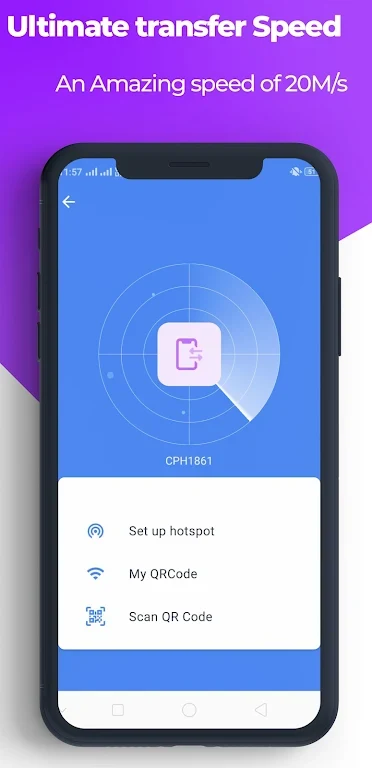
SHAREit - transfer & share files is a file transfer tool built to handle large data movements efficiently between devices. The primary task it addresses is the cumbersome nature of slow file sharing, offering a streamlined solution where users can place two devices together, tap send and receive, and complete transfers at speeds up to 200 times faster than Bluetooth or up to 20MB/s. Its clearest supported benefit is the ability to move heavy files, apps, photos, and videos quickly and securely without needing an internet connection or routing data through external servers.
How does the file transfer process work between devices?
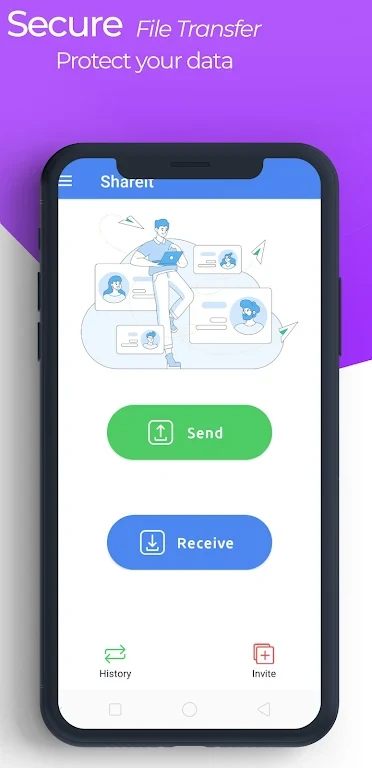
To initiate a transfer, you must install and open the application on both participating devices and place them nearby for mutual detection. On the sending device, you tap "Send" and select your target photos, videos, apps, games, or documents before confirming the selection. On the receiving device, you tap "Receive" and follow the on-screen prompts so the sending device can discover you. Once the sender locates the receiver and you accept the connection request, the transfer starts automatically. After the items finish transferring within the application, you can locate them in your device gallery or file manager.
Can you share applications and migrate data to a new phone?
Yes, the application supports transferring apps and games directly, which lets you share your favorite software with friends and family without needing to re-download them from an app store, saving both time and mobile data. For upgrading to a new phone, the app includes a dedicated "Phone Clone" feature. By opening this function on both old and new devices, you can select the items you wish to migrate from your old device, confirm the action on the new device, and wait for the copying process to finish.
What keeps data secure during a direct transfer?
The application ensures security and privacy by utilizing a direct network connection between the two devices. Because the files do not route through external servers, the risk of interception is reduced, and your data remains private. This direct network architecture also makes it possible to share contents without an active internet connection, allowing local device-to-device exchanges anywhere.
What additional utility features are built into the app?
Beyond moving files, the tool includes a built-in media player that allows you to play music and videos directly inside the application, giving you a one-stop environment to watch videos before sharing or after receiving them without switching to other apps. It also features a file cleanup tool that scans your device to locate junk files, duplicate files, and unnecessary apps, helping you optimize device storage space with a single tap. Additionally, the application supports 45 languages to deliver a localized user experience.
Who will find this application most useful?
Users who frequently need to exchange large media files, TV shows, or entire applications offline between phones and laptops will find the utility valuable. It is well-suited for individuals looking to migrate data during a phone upgrade, clear out junk storage space, or enjoy offline multimedia playback within a single integrated platform.
Version history
View all29 May 2026 · stable