
Screenshots
About this app
Snap Pro Camera brings manual camera adjustments and monitoring tools together to help users shape a shot while capturing it. ISO, shutter speed and white balance can be adjusted, while focus peaking, zebra indicators and a live histogram provide additional visual information during shooting. These controls may be useful for people who want more direct influence over exposure and focus than an automatic camera interface provides. The app also covers still photography and video, with options for recording, editing and preparing images for later work.
Manual controls and exposure aids
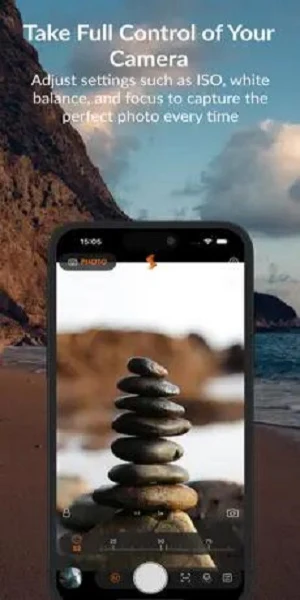
The app’s manual controls include ISO, shutter speed, white balance and focus. These settings let a photographer make deliberate choices about exposure and focus rather than relying entirely on automatic adjustments. Focus peaking highlights areas of focus, zebra stripes indicate potential overexposure, and the real-time histogram gives another way to inspect tonal distribution. Together, these aids can help users assess a composition as they work, though the source does not specify how each control is presented or which devices support it.
Photo formats and creative modes
Snap Pro Camera lists ProRAW, RAW and TIFF among its supported photo formats, with those options intended for images that may be adjusted in post-editing. The feature description also mentions panorama and time-lapse modes, offering alternatives to a standard single-frame shot. For finishing images, it includes filters, brightness and contrast adjustments, and text overlays. These editing tools are described as ways to add a personal touch, while the capture formats and modes address different approaches to making an image.
Video recording and customization
The app also records video and provides customizable frame rates; the source additionally refers to resolution options, cinematic stabilization and real-time color grading. Photo and video modes are described as accessible through a one-tap switch. Settings such as flash mode, grid lines and aspect ratio can be customized, which may help users keep a preferred framing setup ready for different shots. The available detail does not identify specific resolution or frame-rate values.
Editing and sharing options
After capture, users can make basic visual adjustments and add text, then share photos through social platforms or messaging and email apps, according to the description. It also describes a community feature for sharing photographs and exchanging tips. However, the source states that the app has been discontinued and its servers are no longer active. As a result, server-dependent community functions should not be assumed to work, and the description does not clarify which sharing options remain available.
What to consider
The combination of manual controls, monitoring aids, file formats and video settings is aimed at users who want more choices during capture and editing. The source does not provide a reliable minimum Android version or device-specific compatibility details, so support for a particular phone or camera module cannot be determined from the available information. It also does not establish whether every listed feature remains operational following the stated discontinuation.
Version history
View all29 May 2026 · stable
Frequently asked questions
Can Snap Pro Camera record video?
Yes. The description lists video recording with customizable frame rates and resolution settings.
Which photo formats does Snap Pro Camera support?
The description names ProRAW, RAW and TIFF as supported formats.
Are Snap Pro Camera’s servers still active?
The supplied information says the app has been discontinued and its servers are no longer active. It does not clarify which app functions are affected.