
Screenshots
About this app
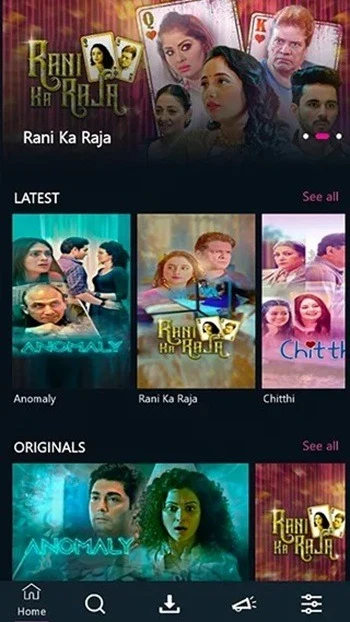
Kooku is an entertainment app for people who want to browse movies, television series, short dramas, sports events, variety shows, and documentaries in one place. Its combination of online streaming and video downloads can be useful when viewing conditions change, such as when an internet connection is unavailable. The app also connects viewing activity to an account, allowing users to continue their history and progress on different devices. As viewing time accumulates, Kooku uses stated preferences and activity to provide personalized recommendations alongside an expanding selection of films and shows.
A broad mix of video categories
The catalogue described for Kooku covers several types of entertainment rather than focusing on a single format. Users can look for films, television series, web series, short dramas, documentaries, variety programming, and live or replayed sports events. The source also describes a selection of original and special titles, including Behrupiya, Babysitter, Bewafai, Banni Ka Kissa, Bind Kotha, Bhootiyapa, Courtship, Clash of Swack, Everything Is Planned, Compromise, Gulab Jamun, Chutzpah, and Chicken Curry. The catalogue includes adult-oriented genres as well as other forms of entertainment, so the range of content is not limited to family programming.
Search and discovery tools
Kooku is described as having a straightforward layout with content discoverable from the main screen. Its search bar lets users enter a word or phrase related to a movie, show, or drama and then review matching results. This search function works alongside recommendations that become more tailored as users spend time watching content. In practice, search can help locate a known title, while recommendations provide another way to find programmes when the viewer has not chosen a specific film or series.
Streaming, downloads, and viewing quality
The app supports streaming as well as downloading videos for later viewing. Downloading is particularly relevant for people who cannot maintain a reliable connection while watching, because saved content can be viewed when online access is limited. The supplied information also describes high-definition viewing and says that the service is intended to provide uninterrupted, ad-free playback without requiring a subscription or payment. These claims come from the provided app description; actual playback quality and availability can depend on the individual title and viewing conditions.
Progress across devices
Users can sign in to their accounts on different devices and continue from their existing viewing history. The source explains that playback can resume from the point where a video was previously left, which may help when moving between devices during a series or film. If someone wants to restart a video instead, the playback bar can be moved back to the beginning. The app also provides a fullscreen control in the lower-right area of the player after the playback controls are displayed.
Connection-related playback issues
Playback may stutter, buffer, or stop when the internet connection is unstable. The supplied troubleshooting guidance recommends checking the connection, restarting the device and modem, and trying again. Video quality is also linked to connection speed: lowering quality may help in some situations, while a slow connection may prevent higher quality from loading. If playback resumes at an unexpected point, clearing the app cache and restarting the device are listed as possible steps.
Version history
View all31 Jul 2026 · stable
Frequently asked questions
Can Kooku videos be watched offline?
The supplied description says that videos can be downloaded for viewing when an internet connection is unavailable or unreliable.
Why might a Kooku video buffer or stop?
The source attributes stuttering, buffering, or random stopping to an unstable internet connection. It recommends checking the connection and restarting the device and modem.
Why does a video resume from the middle instead of starting at the beginning?
Kooku may resume playback from the point where it was previously stopped. The playback bar can be moved to the beginning, and the supplied guidance also suggests clearing the app cache and restarting the device if needed.
How can the video quality be changed?
The source explains that available quality is affected by internet speed. A slower connection may prevent higher quality from loading, while lowering the quality may help with playback.
How do I open fullscreen playback?
Tap the video once to display the controls, then select the fullscreen icon at the lower right of the player.