
Screenshots
About this app
Overview
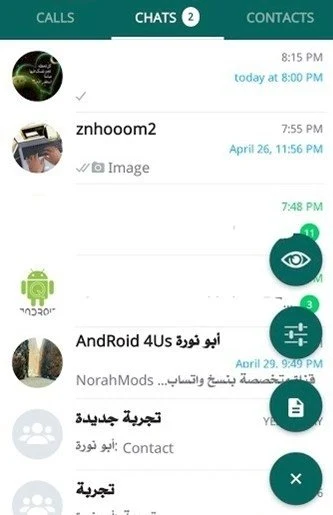
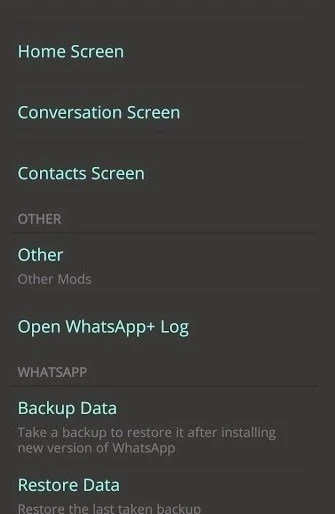
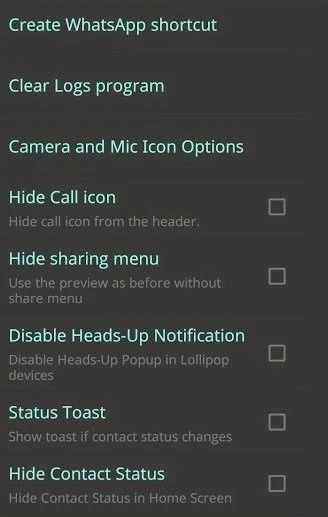
NOWhatsApp is a communication app built around WhatsApp-style messaging with additional privacy, customization, and sharing controls. It lets users adjust how online activity, read indicators, typing, recording, and playback information appear to other people. The app also supports customized themes, wallpapers, icons, and fonts, while allowing larger files, videos, pictures, and documents to be sent. Other tools include longer status updates, anti-delete message viewing, and options for separating private chats from groups. These additions are aimed at people who want more control over their chat appearance and visibility than the standard experience described in the source.
What You Can Do
⭐ Use anti-delete messages to view messages that were removed by the sender, helping preserve the conversation content described by the app.
⭐ Control visibility settings for recent views, last seen information, profile pictures, About details, blue ticks, double ticks, playback status, recording status, and typing status.
⭐ Apply custom privacy settings by choosing who can view items such as Last Seen, Profile Photo, or About. The source specifically describes a “Nobody” option for excluding selected contacts from these details.
⭐ Share larger files, videos, pictures, and documents than the source associates with the original version, giving conversations more room for media and file exchange.
⭐ Publish longer status updates of up to 250 characters, which can be useful for short stories or more detailed updates.
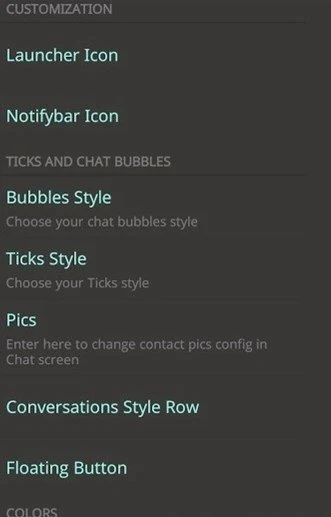
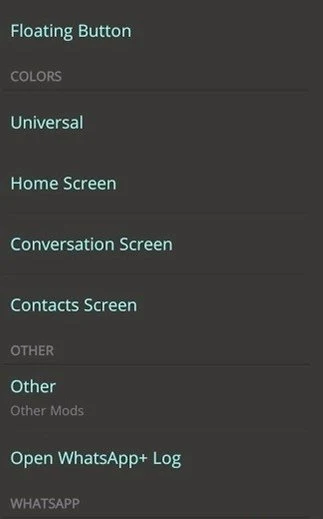
⭐ Change the app’s appearance with custom themes, wallpapers, icons, and font styles. These settings allow the interface and chat presentation to be adjusted to personal preferences.
Using the App
Everyday use centers on regular chats, status updates, and privacy menus. Users can choose which activity indicators to hide, including whether they appear online or are typing. The listed options also include Do Not Disturb mode, call rejection type settings, and the ability to mark a status as viewed with a tap. A separate private-chat and group-chat arrangement is included in the listed changes, making it easier to distinguish different conversation types.
The source also describes a revised text-copy workflow: highlight a message bubble, open the three-dot menu, and choose Message Selection. Emoji reactions can be added to messages, and the app includes interface fixes for status icon colors and blue double-tick colors. A lightweight design is claimed in the source, although no specific storage requirement is provided.
Why It May Appeal
✅ It brings privacy controls, visual customization, status tools, and file sharing into one messaging-focused app.
✅ The ability to hide several activity indicators can give users more control over what contacts see during conversations.
✅ Support for larger media and documents, longer statuses, and emoji reactions adds flexibility for everyday communication.
✅ The listed version, 2.22.22.80, includes changes such as private-chat and group separation, call rejection options, message selection, status-view controls, and various interface fixes.
Version history
View all30 Jul 2026 · stable
Frequently asked questions
What is NOWhatsApp?
NOWhatsApp is a WhatsApp-style communication app with added privacy settings, appearance customization, larger file sharing, status tools, and message controls.
Can NOWhatsApp hide online and read indicators?
The source lists options for hiding online status, blue ticks, double ticks, typing status, recording status, playback status, and other activity indicators.
Does NOWhatsApp support custom themes?
Yes. The source describes custom themes, wallpapers, icons, and font styles for changing the app’s appearance.
What is the maximum status length mentioned for NOWhatsApp?
The source states that long status updates can contain up to 250 characters.